 EMMA FOR SALESFORCE
Every detail.
Better connected.
Your audience. Your email activity. Your everyday workflows. Bring them a little closer in the Salesforce you already know.
A closer look
Built around your day.
A few good connections.
A lot of useful possibilities.
Start with
who you know.
Keep Emma audience data close to the contacts and leads your team works with every day.
Audience records in Salesforce
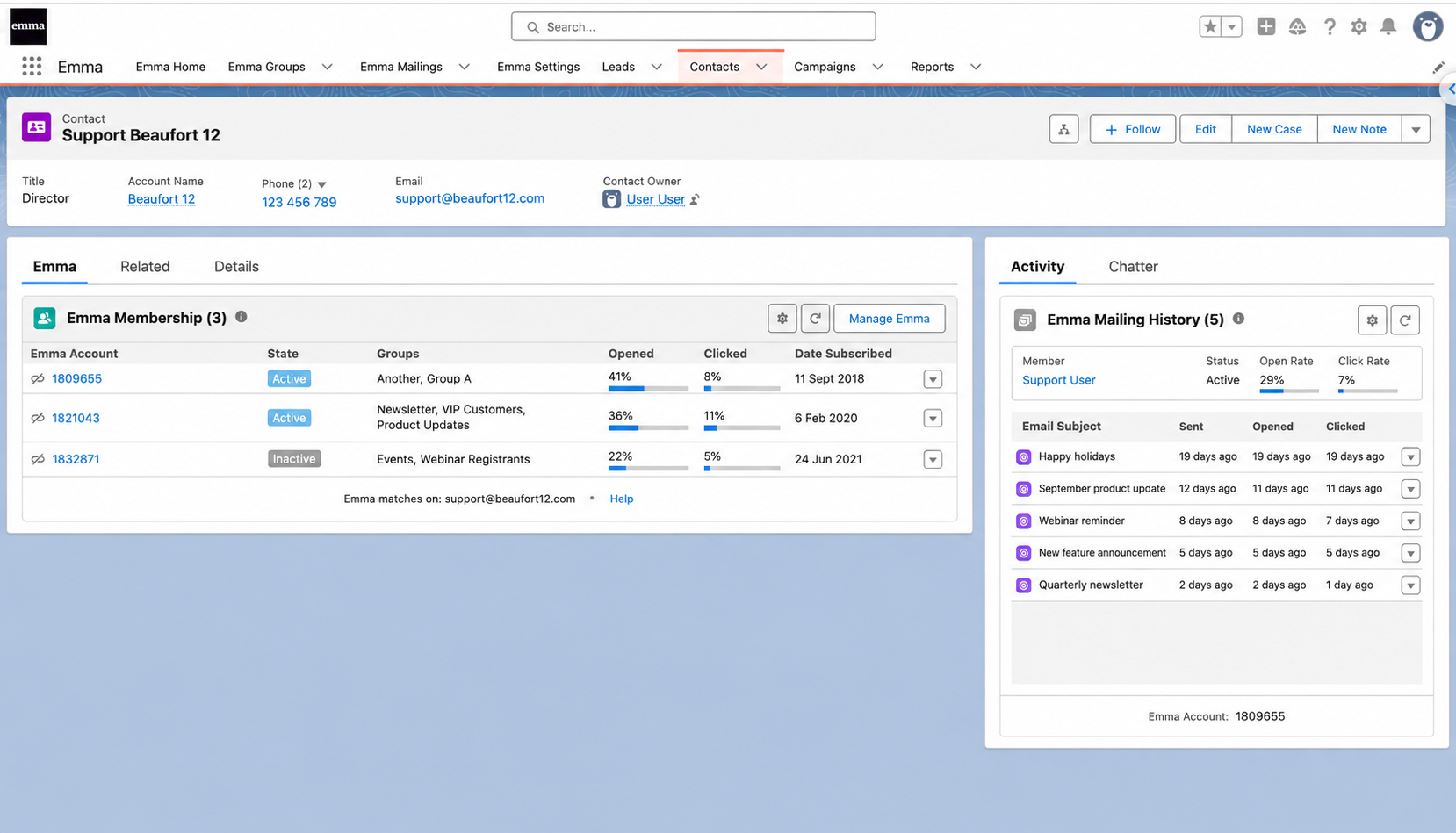
See subscriber status, group membership and custom values alongside your Salesforce contacts and leads.
Read the guide ↗Groups and segmentation
Work with existing Emma groups, or keep custom fields updated to support dynamic segments in Emma.
Read the guide ↗Field mappings
Connect Salesforce fields with Emma custom values, so the details that matter can travel with your audience.
Read the guide ↗Email preferences
View subscription status and configure how Salesforce email opt-out settings work with Emma.
Read the guide ↗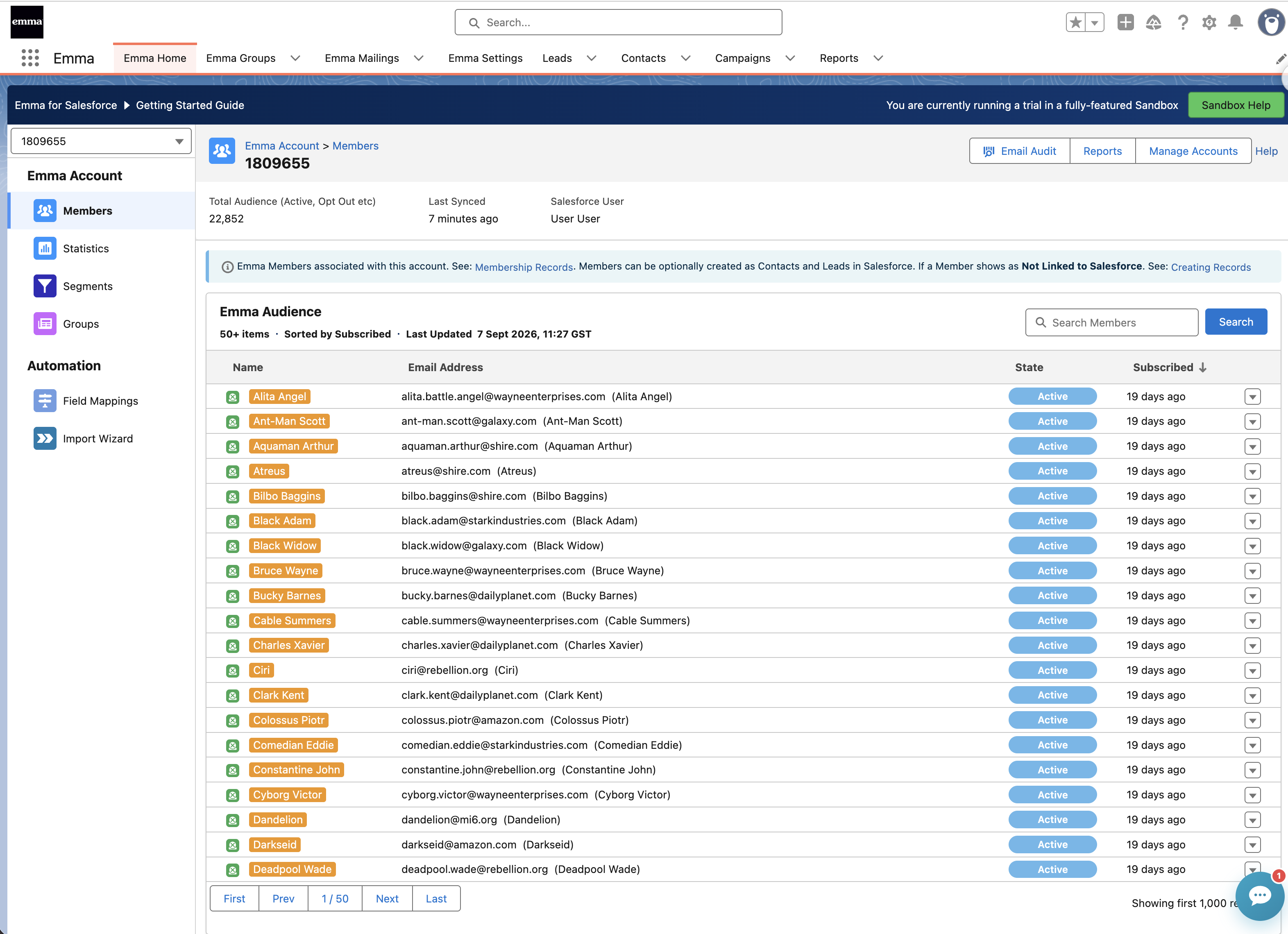
A little help.
Right when you need it.
Find a guide, ask the AI assistant, or get in touch with the Beaufort 12 team.
Visit Emma supportSee what happened
after “send”.
Bring the response back into the conversation, with Emma activity alongside your customer records.
Mailing history
See sends, opens and clicks on contacts and leads. Choose stored tracking records or the Lightning email activity component.
Read the guide ↗Salesforce reports and dashboards
Use stored email tracking records in Salesforce reports. The Lightning component can show activity without storing it, but that activity cannot be used in Salesforce reports.
Read the guide ↗ A little help.
Right when you need it.
Find a guide, ask the AI assistant, or get in touch with the Beaufort 12 team.
Visit Emma supportKeep the connection
moving.
Use recurring imports and Salesforce Flow actions to take care of repeatable work.
Scheduled imports
Bring records into Emma from a Salesforce report, campaign, list view or SOQL query. Run an import once or set a schedule in the Import Wizard.
Read the guide ↗Salesforce Flow actions
Add or remove contacts and leads from groups, delete them from Emma, or start an Import Wizard job using the available Flow actions.
Read the guide ↗Connect to Emma automation
Use Salesforce-driven audience updates and group actions as part of your Emma automation setup.
Read the guide ↗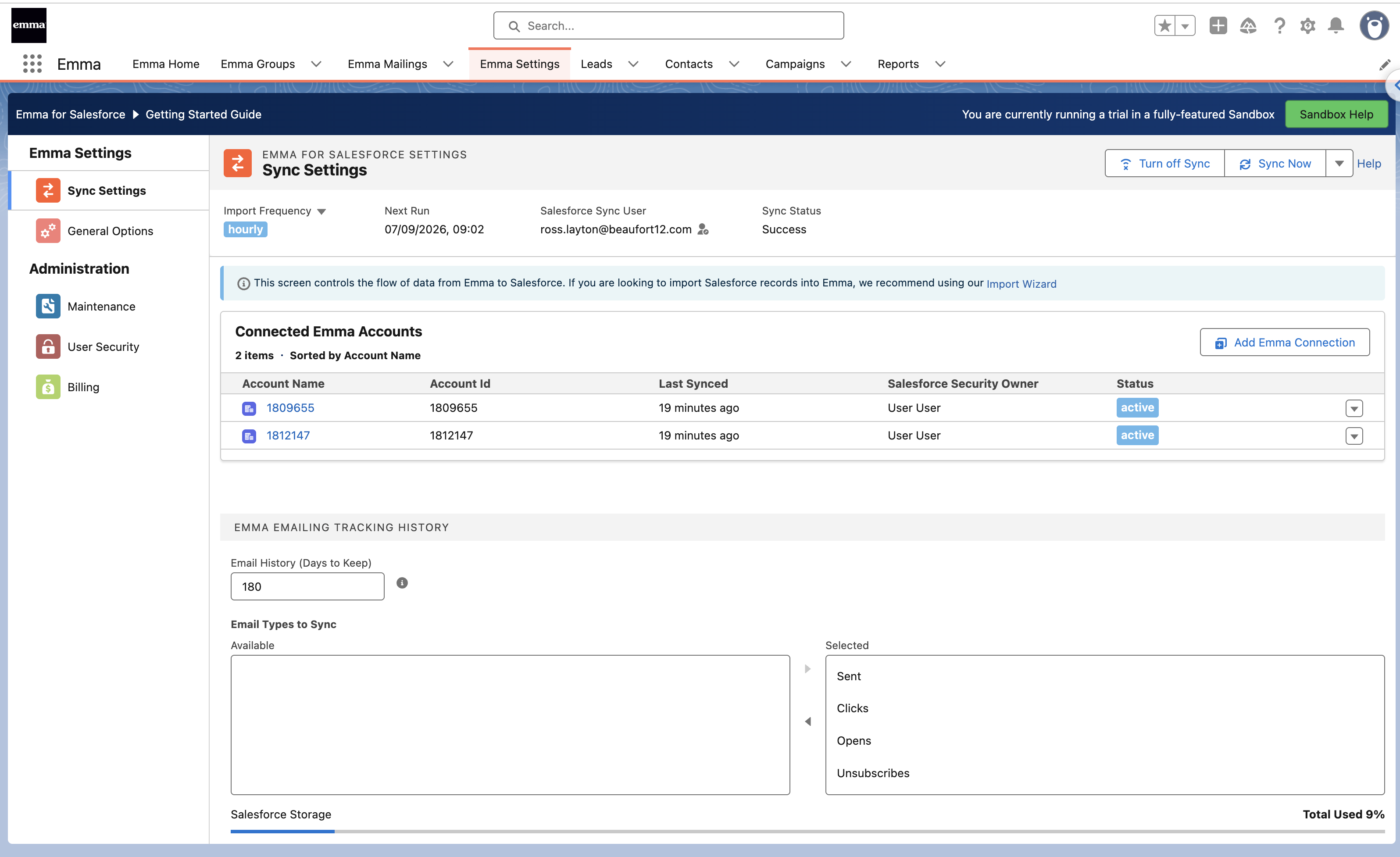
A little help.
Right when you need it.
Find a guide, ask the AI assistant, or get in touch with the Beaufort 12 team.
Visit Emma supportA good connection.
Real help behind it.
From the first setup to the next question, find help from Beaufort 12.
Knowledge base
Browse Emma setup guides and practical answers, with links to the feature you are working on.
Visit Emma support ↗Search and AI chat
Search the Emma support site or ask the AI assistant for help finding the information you need.
Open search & AI chat ↗Email support
Contact the Beaufort 12 team when you need a hand with the integration.
Contact the team ↗A little help.
Right when you need it.
Find a guide, ask the AI assistant, or get in touch with the Beaufort 12 team.
Open search & AI chatOne connection. Shared context.
Good for your campaigns.
Even better for your team.
Useful information, in a familiar place. So everyone can pick up the conversation.
Build a more relevant audience.
See the activity behind the next conversation.
Make the connection work your way.
The practical details
Good to know.
Do we still send our emails in Emma?
Explore pricing ↗
Can we report on email activity in Salesforce?
Read about mailing history ↗
Where do we start?
Follow the setup guide ↗